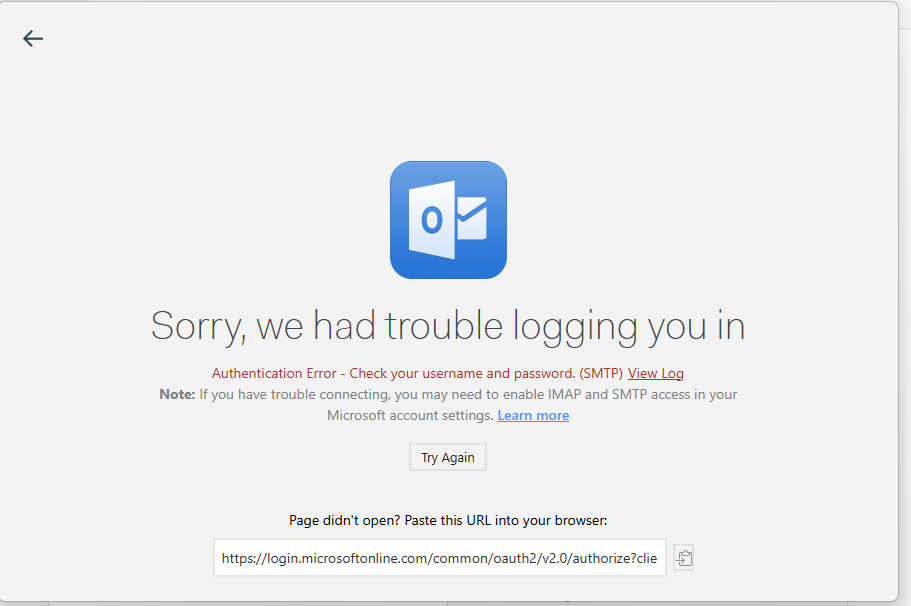
I am trying to configure my personal outlook.com email but it’s returning with an error “Authentication Erro- Check your username and password.(SMTP)”. I have enabled POP and IMAP. I do complete authentication process-password and mobile authentication.
init after starttls
EHLO [192.168.3.127]
250-PN4PR01CA0121.outlook.office365.com Hello [IP]
250-SIZE 157286400
250-PIPELINING
250-DSN
250-ENHANCEDSTATUSCODES
250-AUTH LOGIN XOAUTH2
250-8BITMIME
250-BINARYMIME
250-CHUNKING
250 SMTPUTF8
334
535 5.7.139 Authentication unsuccessful, SmtpClientAuthentication is disabled for the Mailbox. Visit Enable or disable SMTP AUTH in Exchange Online | Microsoft Learn for more information. [PN4PR01CA0121.INDPRD01.PROD.OUTLOOK.COM 2026-11-04T05:24:41.733Z 08DF3A1B503E3719]