Description
The Mailspring system tray icon appears blurry on my Windows 11 machine.
This looks like a regression: in Mailspring 1.11, the tray icon was rendered sharply under the same display settings. In the newer version, the icon appears noticeably blurred compared with the other tray icons.
I have the scale on my display, at 125%, laptop, display resolution 1920x1200.
To Reproduce…
Steps to reproduce the behavior:
- Nothing, just the rendered tray icon.
Expected Behavior
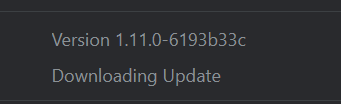
The Mailspring tray icon should be rendered sharply and at the correct resolution, as it was in Mailspring 1.11 (v1.11.0-6193b33c).

As I understood, the one of the new feature brakes it, from the release of 1.12.0:
The Windows tray icon styles have been improved, and a new option allows you to opt-out of the red icon style
Screenshots
Attached screenshots show:
-
The blurry tray icon in the affected Mailspring version
-
The sharper tray icon from Mailspring 1.11 for comparison
-
Windows 11 display resolution set to 1920 × 1200
-
Custom scaling set to 125%
The problem (blurry icon):

The old Mailspring 1.11 version (expected non-blurry icon):
Display resolution and scale:


Setup
- OS and Version: Windows 11 Pro 25H2
- Installation Method: from github (releases) page, via MailspringSetup.exe
- Mailspring Version: 1.23.0-5b371811
Additional Context
The problem is old, I know, but I see app constantly is updating, and this issue still remains.
Related topic: Dark gray icon on windows dark mode - #9 by DanRotaru