Description
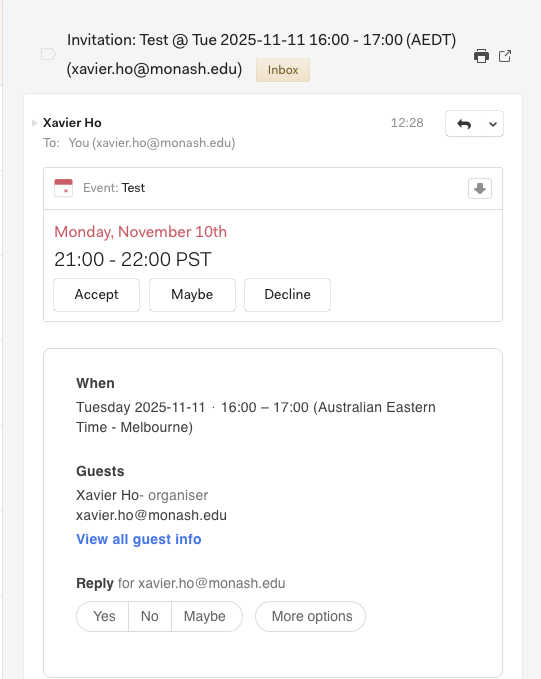
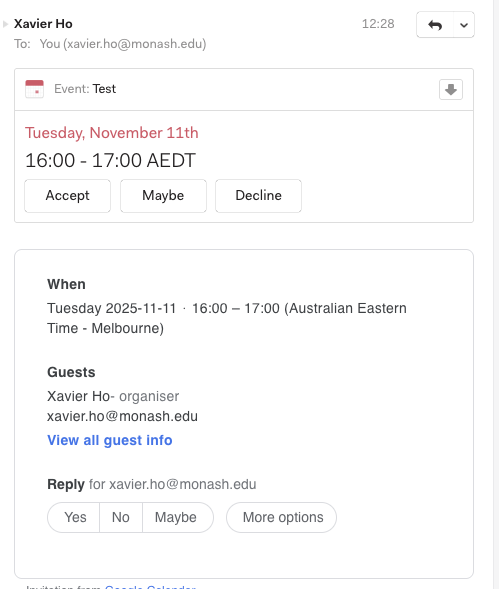
Some calendar ics-files show the wrong time in the calendar preview.
Could be related to: https://github.com/Foundry376/Mailspring/issues/1555
To Reproduce…
Steps to reproduce the behavior:
- Download the [valid ics file](https://www.mediafire.com/file/uwftybtvgc1s9za/ShouldBe1300CEST.ics/file), or make your own with the code at the bottom.
- Send it to yourself via email.
- The time in the mailspring preview should be 13:00 CEST! It is shown as 15:00 CEST
- The file can be opened with another calandar app and the correct time is shown
Expected Behavior
Displaying the correct time in the calendar preview.
Setup
- OS and Version: Windows 11 (21H2)
- Installation Method: installer
- Mailspring Version: 1.10.5
Additional Context
I got the calender file from someone else. This person used Outlook. I also tested outlook and send a file to myself. This worked without problem.
Looking at the ics file, the problem might be the “Customized Time Zone” given there.
Code of the non working ics file:
BEGIN:VCALENDAR
PRODID:-//Microsoft Corporation//Outlook 16.0 MIMEDIR//EN
VERSION:2.0
METHOD:REQUEST
X-MS-OLK-FORCEINSPECTOROPEN:TRUE
BEGIN:VTIMEZONE
TZID:Customized Time Zone
BEGIN:STANDARD
DTSTART:16011028T030000
RRULE:FREQ=YEARLY;BYDAY=-1SU;BYMONTH=10
TZOFFSETFROM:+0200
TZOFFSETTO:+0100
END:STANDARD
BEGIN:DAYLIGHT
DTSTART:16010325T020000
RRULE:FREQ=YEARLY;BYDAY=-1SU;BYMONTH=3
TZOFFSETFROM:+0100
TZOFFSETTO:+0200
END:DAYLIGHT
END:VTIMEZONE
BEGIN:VEVENT
ATTENDEE;CN="Me";RSVP=TRUE:mailto:aaaa@aaaa.de
CLASS:PUBLIC
CREATED:20220926T115042Z
DESCRIPTION: TEST
DTEND;TZID="Customized Time Zone":20220926T140000
DTSTAMP:20220926T110059Z
DTSTART;TZID="Customized Time Zone":20220926T130000
LAST-MODIFIED:20220926T115044Z
LOCATION:Testlocation
ORGANIZER;CN="aaa, aaa":mailto:aaaa@aaaa.de
PRIORITY:5
SEQUENCE:1
SUMMARY;LANGUAGE=de:Besprechung
TRANSP:OPAQUE
UID:040000008200E00074C5B7101A82E008000000002E28A38606CFD801000000000000000
	01000000047D884C2DB4E774C999AD742EBB79E5A
X-ALT-DESC;FMTTYPE=text/html:Testmessage
X-MICROSOFT-CDO-BUSYSTATUS:TENTATIVE
X-MICROSOFT-CDO-IMPORTANCE:1
X-MICROSOFT-CDO-INTENDEDSTATUS:BUSY
X-MICROSOFT-DISALLOW-COUNTER:FALSE
X-MS-OLK-SENDER;CN="aaaa, aaaa":mailto:aaaa@aaa.de
END:VEVENT
END:VCALENDAR