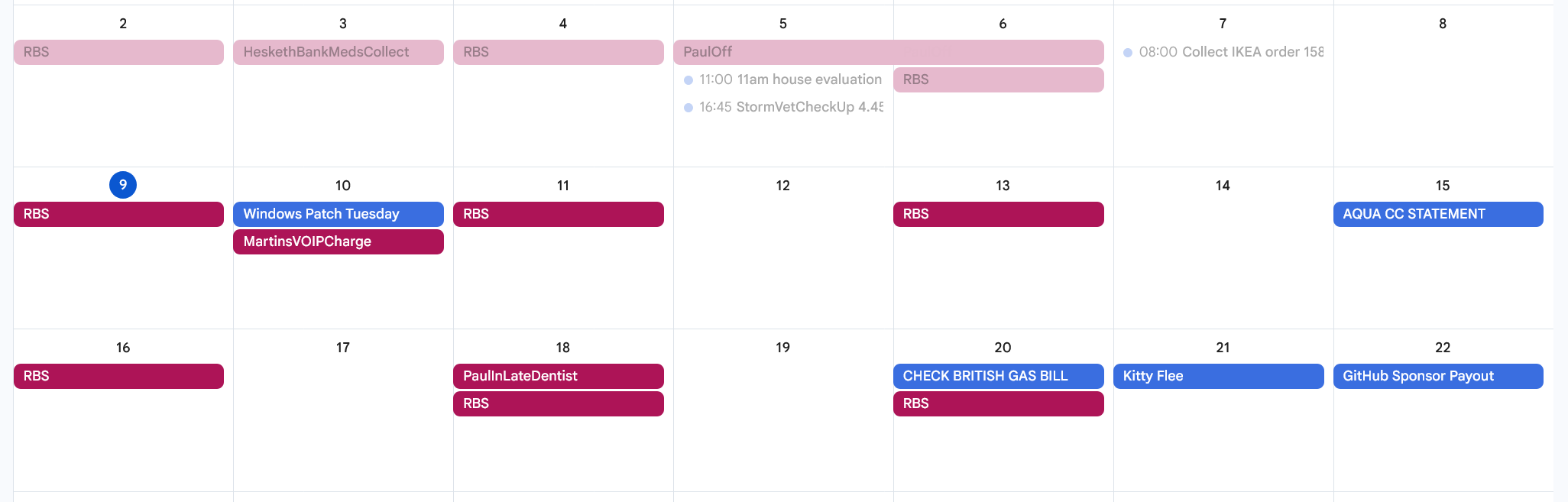
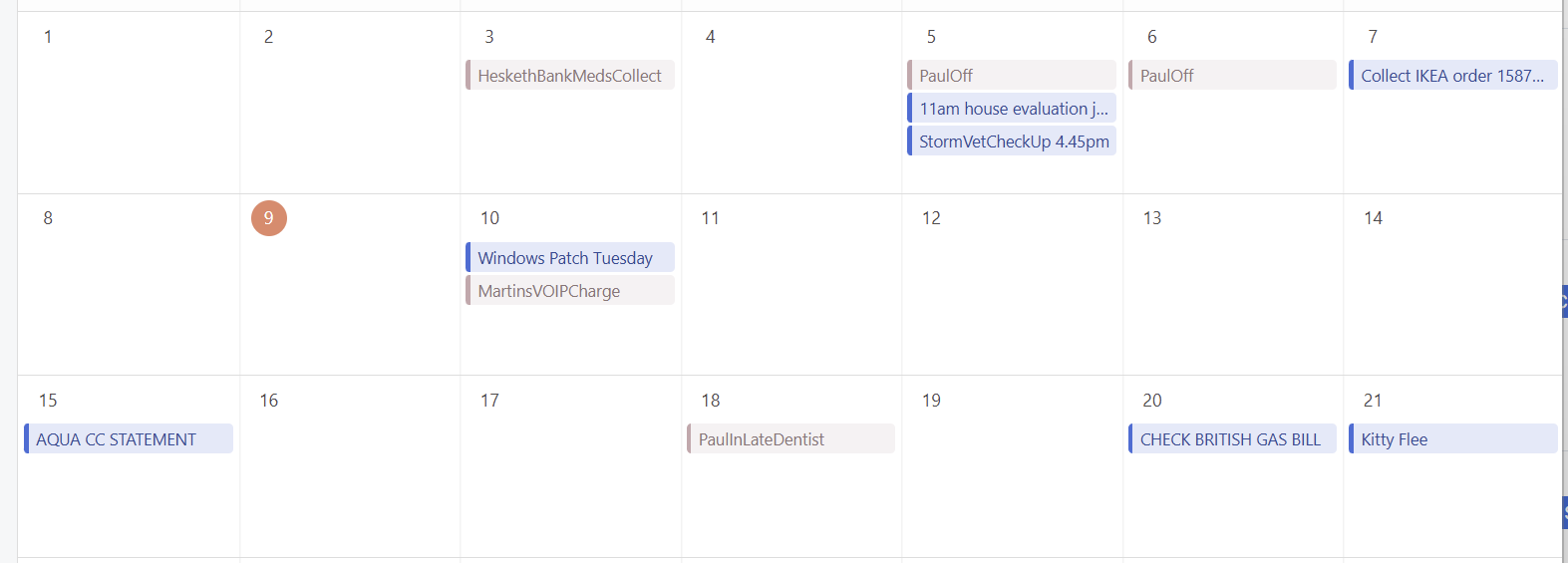
When i open the Calendar Preview, it shows my calendars from google as expected,
but for some reason recurring events are NOT shown?
they are completely missing?
To Reproduce…
Steps to reproduce the behavior:
create a calendar event recurring weekly on mon, wed, fri online
Hi Simon – Mailspring 1.19.0 was just released and adds ICS-based recurrence support (#2637) and a recurring event indicator icon (#2633). There’s also been a lot of updates to how the app creates and edits recurring events so that you can create one-time exceptions, change all occurrences, etc. Your weekly recurring events from Google Calendar should now display properly in the calendar view. Please update and let me know how it works for you! If they still don’t appear, it could be a separate sync issue that needs investigation.
Hey great to hear it! I think that the problem is that calendar sync has advanced past reading those events and needs to do a full resync to find them. There’s not a great way to trigger that in the UI just yet, but I’ll see if we can add it (and probably do it for everyone when the calendar feature goes out of preview this year!)
Recurring events added after the last sync now appear correctly (fixed in v1.19.0). For existing recurring events that were already in your calendar before that fix, a full resync is needed: go to Preferences > Accounts, remove and re-add your calendar account to pull fresh data. We know that’s not ideal and we’re working on an in-app “Resync Calendar” button.