Description
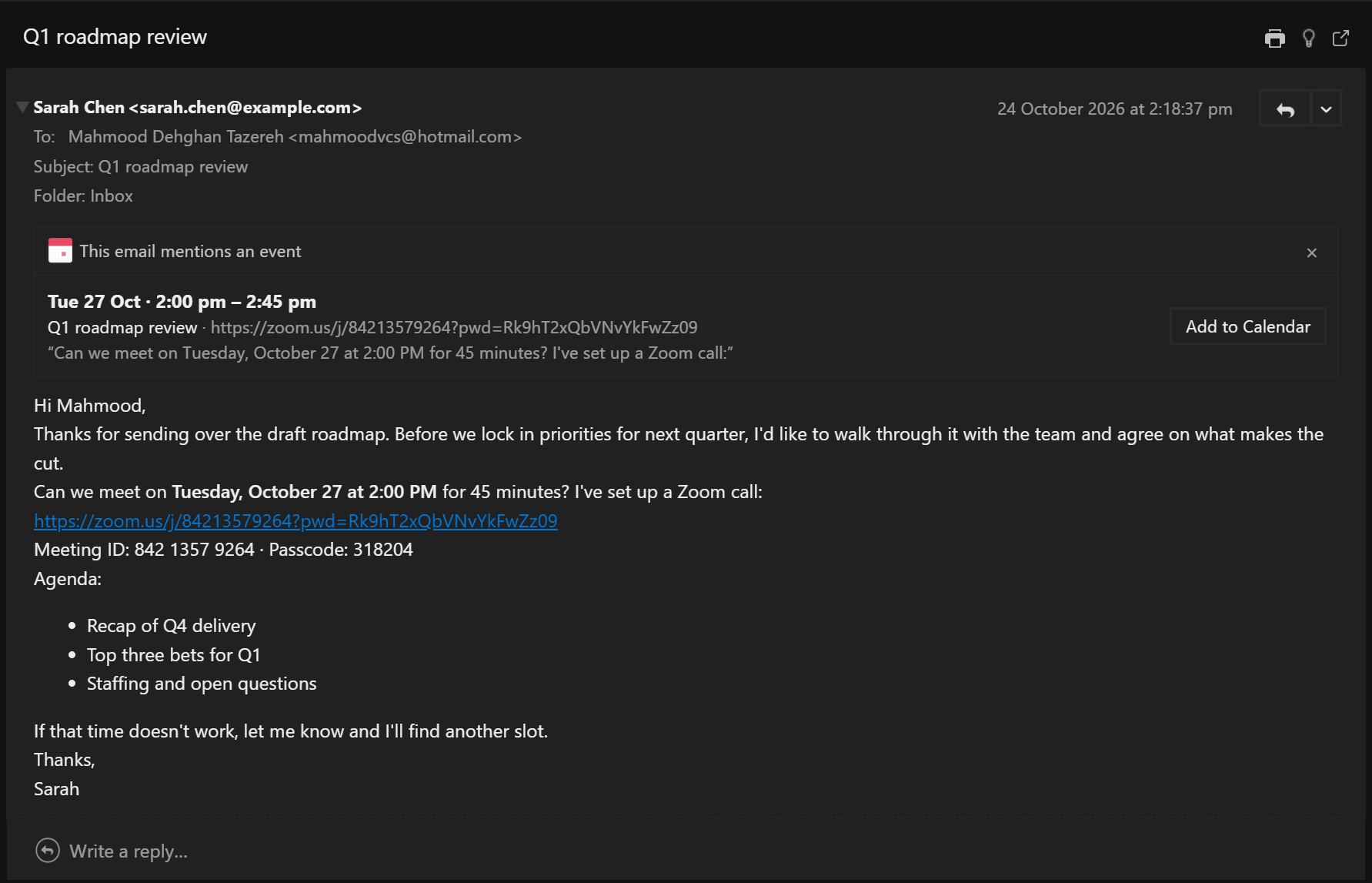
Calendar Suggestions spots when an email mentions a meeting, reservation or other dated plan. It shows a bar above the message with an Add to Calendar button. It doesn’t use AI, and everything runs on your own machine using simple rules.
Features
- Booking data: airlines, hotels, ticketing sites and restaurant booking services often include machine-readable booking details in their emails (the same data Gmail uses for its cards). Flights, trains, buses, hotel stays, restaurant and car reservations, and events are read from it exactly.
- Dates in the text: phrases like “Tuesday at 3pm”, “Oct 14, 10:00 AM EST” or “Friday 12–1:30pm”. Relative dates like “tomorrow” count from when the email was sent.
- Meeting links: links from Zoom, Google Meet, Teams, Webex, Whereby, Jitsi, GoTo and Chime become the event’s location.
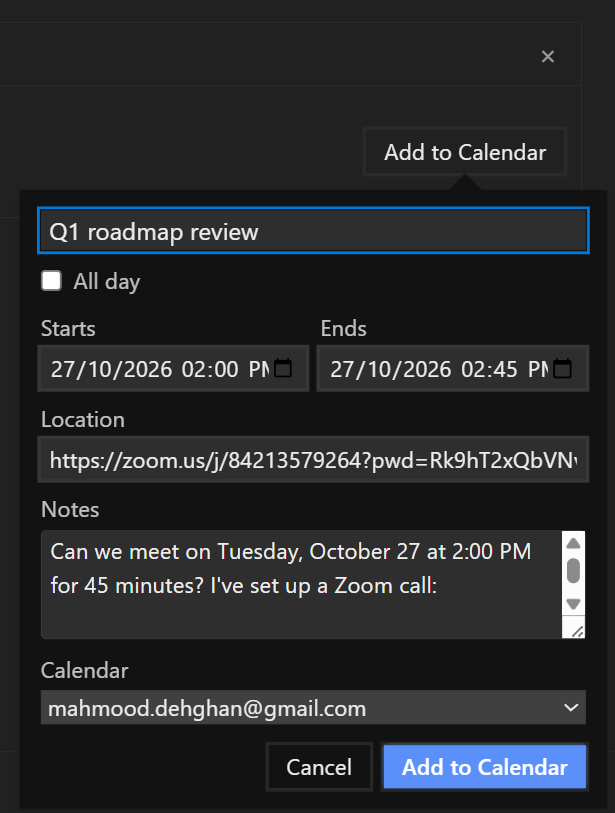
- You stay in control: Add to Calendar opens a form you can edit (title, time, location, notes, calendar), so nothing is saved until you confirm. The × hides the bar for that message.
- Low noise: a date in the text is only suggested if a meeting word (“meet”, “call”, “interview”, “lunch”…) or a meeting link is nearby. It also needs an event word (“conference”, “wedding”, “appointment”…) if it has no time, and then it becomes an all-day event. Past dates, quoted replies, and “shipped/due/expires” dates are skipped. So are emails that already have an .ics invite. It shows at most three suggestions per email.
Limits: text detection is English only (booking data works in any language). Vague wording isn’t recognized. Numeric dates like 03/04 use your system’s day/month order.
Screenshots
Install
Requires Mailspring 1.26 or later and an account with a calendar you can add events to.
- Download calendar-suggestions.zip from the latest release: Release v0.1.2 · mahmoodvcs/Mailspring-calendar-suggestions · GitHub
- Extract it.
- In Mailspring, choose Developer > Install a Plugin… and select the extracted
calendar-suggestionsfolder.
To build from source, see the README on GitHub.
Getting Help
Report bugs or ask questions in this thread or on GitHub: Issues · mahmoodvcs/Mailspring-calendar-suggestions · GitHub