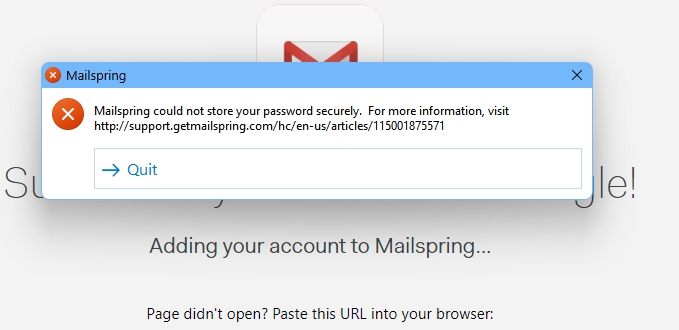
I’m on Mailspring Pro, When I add 3rd Gmail or O365 account, Mailspring crashed with error" Mailspring could not save your password securely" Screenshot attached. Kindly resolve.
Office 365 account setup guidance was improved in v1.20.0 with updated documentation and prompts. The key things for O365 accounts:
Use OAuth (recommended): In account setup, select “Office 365 / Outlook” and complete the OAuth flow — this is the most reliable method
Enable IMAP: Make sure that you’ve enabled IMAP and SMTP in your Outlook settings. If you don’t see the SMTP option, Outlook may be entirely blocking you from using third-party email clients to send mail.
Note: Microsoft has deprecated basic authentication for Exchange, so OAuth is the preferred path going forward.