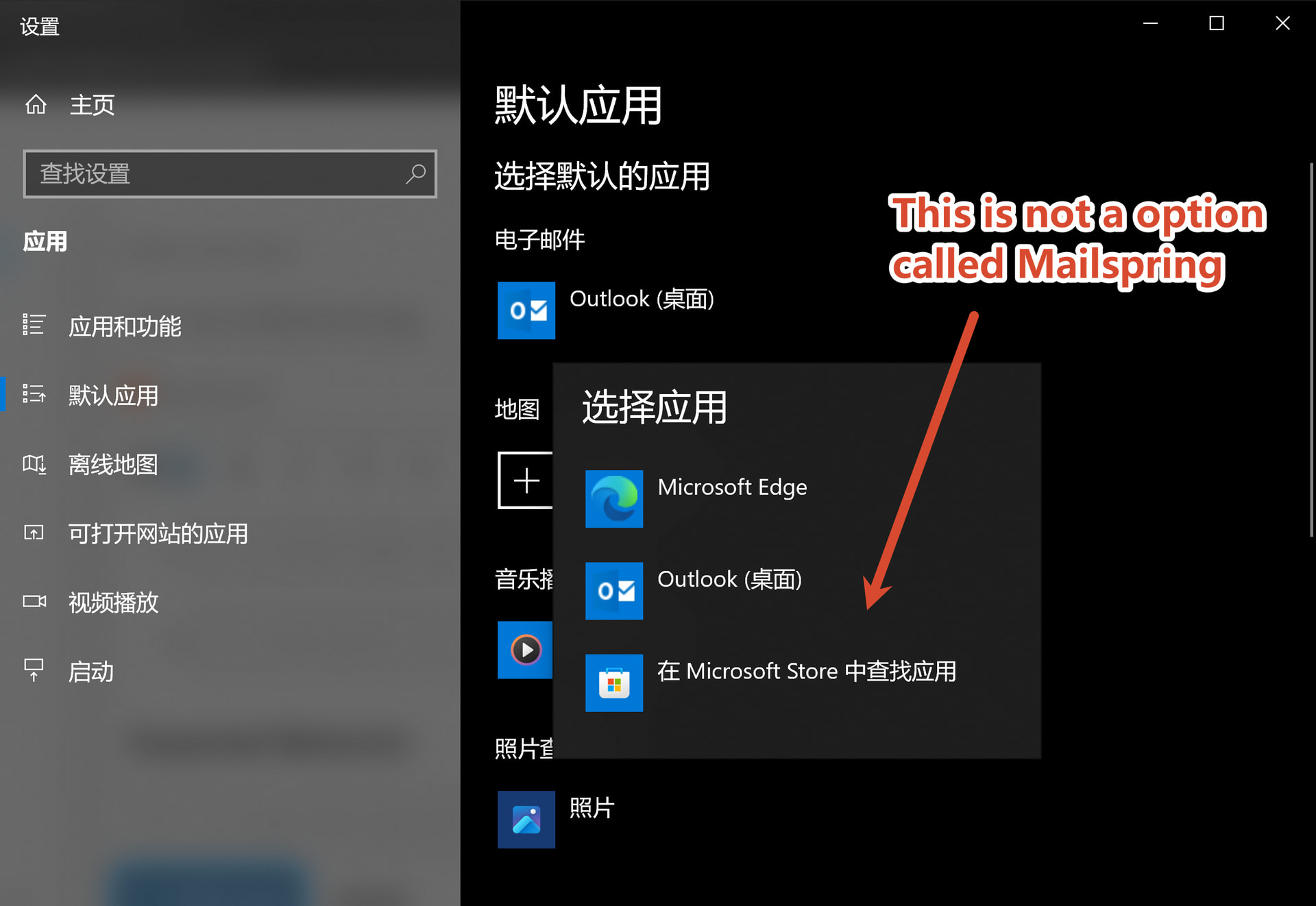
When I open the app settings, it recommands me to. I clicked and jumped to the system setting, but I couldn’t find “Mailspring” in “email app” tab(“电子邮件” in Chinese).
I installed the app through scoop, perhaps it’s the reason?
You can get more info from the screenshot behind.
To Reproduce…
Steps to reproduce the behavior:
Go to app settings
Click set as default email app
Open default email selection tab in system settings.
I started having issues today with my Mailspring installation and one of the problems was setting is as default.
So, I tried uninstall, clear settings folder (~/.config/Maispring) and then I installed it again and started setting things up, where I got this message:
“Mailspring could not store your password securely because encryption is not available on this system.“
So, after some searching this means that for some reason it cannot communicate with kdwallet6 (I am on KDE6) and therefore I had to manually add this parameter to run:
mailspring --password-store=“kwallet6”
If you are on older KDE, you can use this
mailspring --password-store=“kwallet5”
Or for Gnome, this
mailspring --password-store=“gnome-libsecret”
This is likely the same root cause as the “Run on startup” issue you posted — setting Mailspring as the default email app writes registry entries that assume the same Squirrel.Windows install layout the official installer creates, and the Scoop’s package doesn’t include everything those entries expect.
If you install via the official installer from getmailspring.com instead of Scoop, “Set as default” should work normally. Sorry I don’t have a cleaner fix for the Scoop path specifically.