Description
Most newsletters contain specific CSS in its HTML head to ensure the content is rendered correctly. While inline CSS is applied by Mailspring any CSS in the HTML head node is completely ignored.
In my case there is a newsletter with large images that (among many other things) explicitly prevents images from increasing the mail width by restricting it in the HTML head like so:
<!DOCTYPE html>
<html>
<head>
<style type="text/css">
img,video{max-width:100%!important}
</style>
</head>
<body>
...
</body>
</html>
As this is not applied by Mailspring, the mail is overflowing horizontally so to read it properly I need to scroll all the time or increase the window size to be bigger than the image.
Additionally, Mailspring adds inline CSS to images, seemingly to circumvent overflowing of images that even regards the ratio of the image. This applies max-width: 100vw when it should be max-width:100%. Otherwise nested images (e.g. in tables) are still too big.
Current HTML:
<img src="..." style="max-width: 100vw; max-height: 27.75vw; ">
This is not an issue in GMail or other mail clients as the CSS is applied there.
This is probably connected to this issue: Paragraph spacing is ignored when displaying HTML email
To Reproduce…
Steps to reproduce the behavior:
- Send an HTML email that contains the following to a GMail account:
<!DOCTYPE html>
<html>
<head>
    <style type="text/css">
        img,video{max-width:100%!important}
    </style>
</head>
<body>
<div style="width:50%">
    <img src="https://64.media.tumblr.com/tumblr_md4w7bOQs41qz8q0ho1_r1_1280.jpg" width="2000px"/>
</div>
</body>
</html>
-
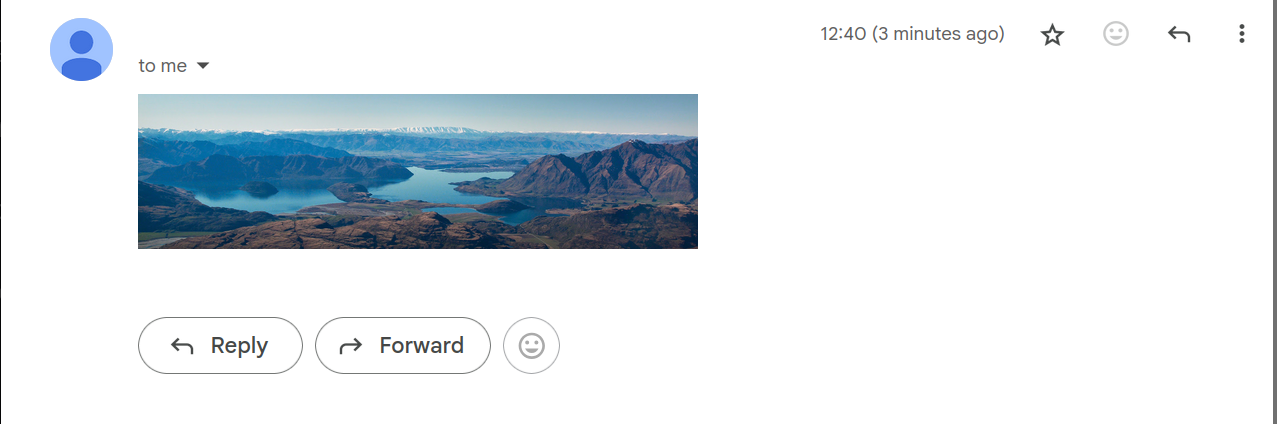
Take a look at the mail in GMail. The image takes up half of the div width and the developer tools show the head CSS to be applied.
-
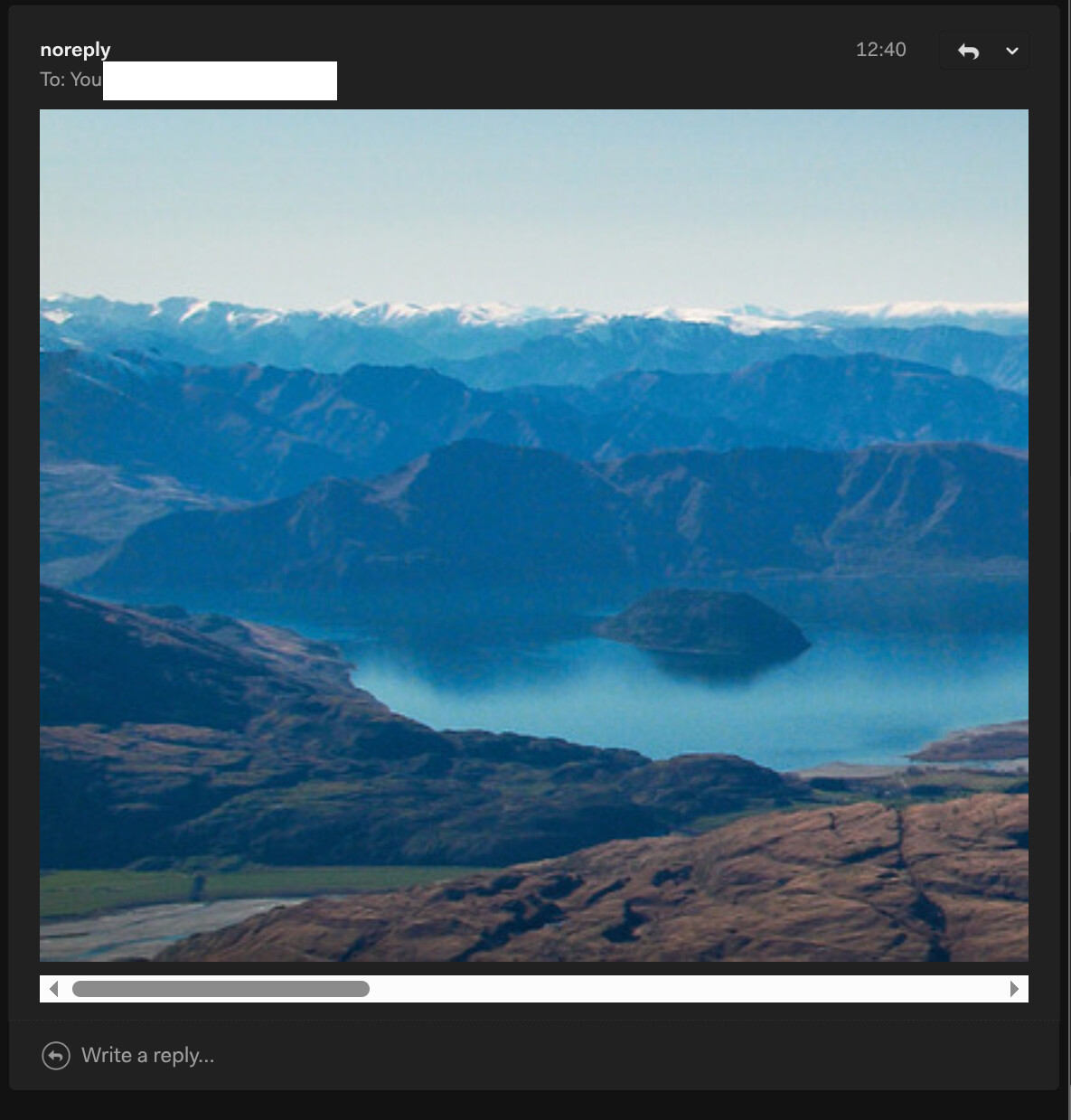
Take a look at the mail in Mailspring. The image takes up the full width and when removing the injected CSS the image is 2000px wide and the mail is overflowing. The CSS in the head node is never applied:
Expected Behavior
CSS that is sent via the HTML head node should be applied and no other custom CSS should be injected.
Screenshots
Test mail in GMail:
Test mail in Mailspring with injected CSS deactivated:
Setup
- OS and Version: Ubuntu 25.04
- Installation Method: Linux (64-bit .deb)
- Mailspring Version: Version 1.16.0-5339a49f