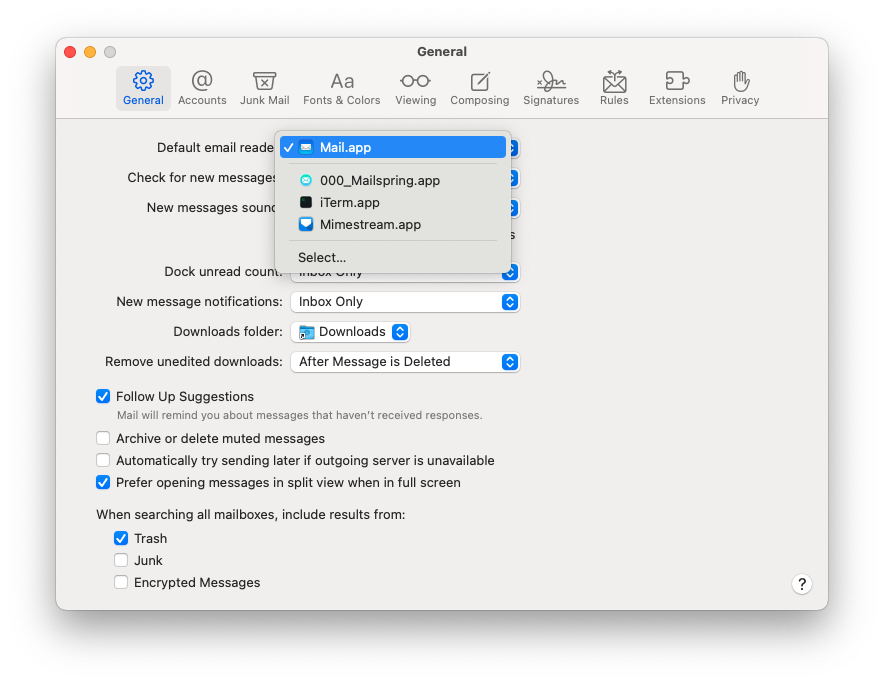
I remember I deleted it a couple of months ago. But it is still in the list of default email client in my Apple Mail app. In addition, it is working with email links and even asks me to copy its files to /Applications folder.
I tried to manually locate the orphan program but there is nothing on my disk. Therefore, I came here for help: How should I remove it completely? Thank you.
This is a macOS behavior — the system caches registered URL handlers and mail client applications even after the app is deleted. Apple Mail’s list of available email clients comes from Launch Services, which doesn’t immediately remove entries when an app is uninstalled.
To clean this up, run the following command in Terminal, which rebuilds the Launch Services database:
/System/Library/Frameworks/CoreServices.framework/Frameworks/LaunchServices.framework/Support/lsregister -kill -r -domain local -domain system -domain user
After running it (it takes a few seconds), Mailspring should no longer appear as an option in Apple Mail’s default client list.