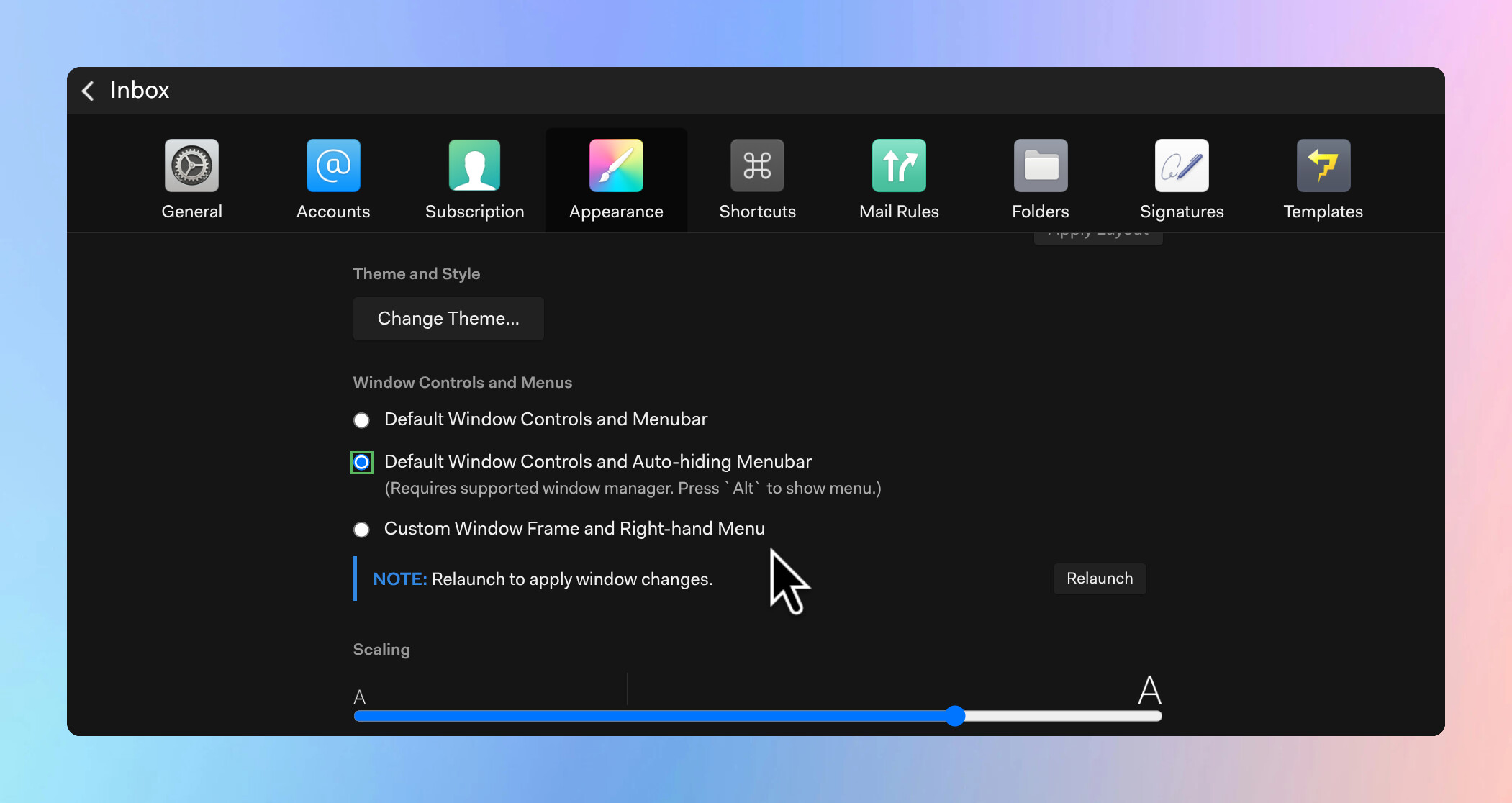
I’m running Mailspring on Pop!_OS with the COSMIC desktop environment, and I’ve noticed that my application window displays two sets of window control buttons — the macOS-style circles (close, minimize, maximize) on the left side of the title bar, as well as the standard buttons (minimize, maximize, close) on the
Those left-side buttons are Mailspring’s custom window controls — they show up when the “Custom Window Frame and Right-hand Menu” (hamburger) mode is selected in Preferences. If your desktop environment (GNOME 48, COSMIC, etc.) also adds its own window controls, you end up with two sets.
To remove Mailspring’s built-in controls, go to Preferences > Appearance and change “Window Controls and Menus” to “Default Window Controls and Menubar”, then click Relaunch. That will let your desktop environment’s native window decoration handle everything. The “hamburger” mode is designed for setups where you want Mailspring to draw its own frame (similar to how it looks on macOS), but on GNOME or COSMIC with native titlebars it creates the duplication you’re seeing.