Installation error

Hi,

I am attempting to be a new user of Mailspring.
I am running windows 11 (latest updates).
I downlaod today the mailspring installation file. When I run it I get the following error:

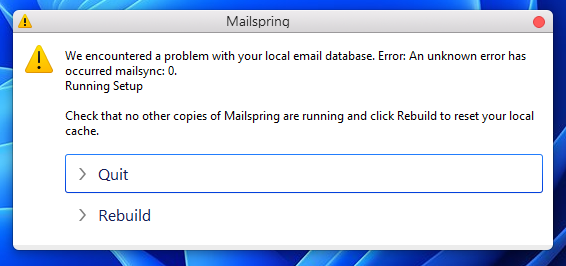
“We encountered a problem with your local email database. Error: An unknown error has occurred mailsync: 0.
Running Setup”

I have never had Mailspring before. I checked task manager and no “Mailspring” appears.

I tried rebuild and get the same error repeatedly.

I seach the fourm and didn’t find anything.
Can anyone tell me what’s going on?

Thanks in advance,

Doug

Hi Doug - that exact message (“An unknown error has occurred mailsync: 0. Running Setup”) was a bug in Mailspring itself, not in your install. Exit code 0 means the sync engine started fine; the app was reading its output incorrectly, choking on the “Running Setup” progress line and treating a successful startup as a failure. That was fixed in 1.24.0, so please grab the current build from Mailspring - The best free email app and install it over the top of what you have.
If a database dialog still appears on the new build, it will now show the real reason instead of “unknown error”. The usual culprits on Windows are a second copy of Mailspring still running in the tray, or antivirus locking the data folder - there’s a checklist here: Mailspring won’t open, shows a blank window, or reports a database problem — Mailspring Documentation