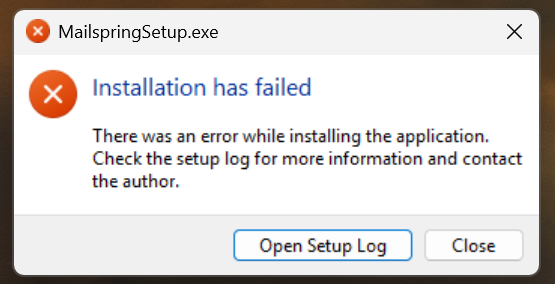
I’m new to Mailspring and was loving it. No issues at all on Windows 11. Today it prompted that there was an update, so I selected to do that. But in the process it completely disappeared, is no longer installed, and when I try to reinstall from a fresh download on the website it keeps coming up with an error. Bit disappointed, can’t use it at all now… any solutions? Not sure how much private info is in the setup log to attach here… (I’ve tried downloading an older version, but same error comes up…)
Is this normal for Mailspring? That it just ceases to work when you update and you can’t even install an older version if there’s an issue? Seems like a pretty big bug to me if the app disappears on people all together… I’m new to Mailspring and was really loving it, but this makes me wanna keep searching for an alternative…
I’ve finally been able to install the latest (1.19), it still comes up with warnings when installing, but it does go through the installation cycle and seems to be working ok! Scared to update now though!
EDIT: spoke too soon, it doesn’t seem to be syncing right… deleted messages show up again…
Glad to hear you were able to install 1.19.0, @Nualafaolin! Based on your feedback, the latest release includes a change for Windows app restart and update handling with Squirrel (#2631), which should prevent this kind of issue from happening on future updates. For others who experienced this problem – please try installing 1.19.0 fresh from getmailspring.com. Sorry for the hassle, I believe that we’ve gotten this sorted.
I’ve just had the same problem. Norton 360 detected Mailspring update as a threat and Mailspring stopped working completely. I set it as an exception in Norton and tried a fresh Mailspring install with newly downloaded file. I get the same error message and the open setup log button does nothing.