Hi Chris, sorry for my (very late) response
The easiest way to make your request is to do it in two steps:
-
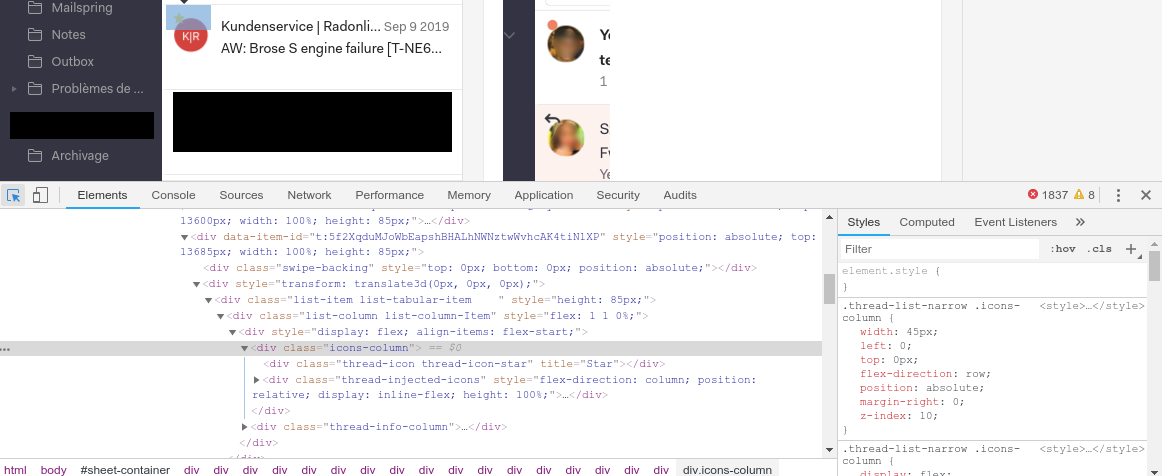
First, use the developers tools integrated in Mailspring (Developer → Toggle Developer Tools) to locate the element to be moved and test with CSS how you can place it. I’ve attached a screen of the concerned element, on the right side you can change the property “top: 0px” with something that suits you better and see the result in live.
-
Once you have found the value that suits you best, you must now integrate your modification into the plugin. It happens in this file: mailspring-avatars/index.less at 5b0b19a1dc99babd2a24f97e86530df315320acc · Striffly/mailspring-avatars · GitHub. Download the plugin, edit this file, install the edited plugin in Mailspring and you’re done

Tell me if you have any question !
Regards,
Clément