I installed Mailspring but there are no icons but rather only squares.
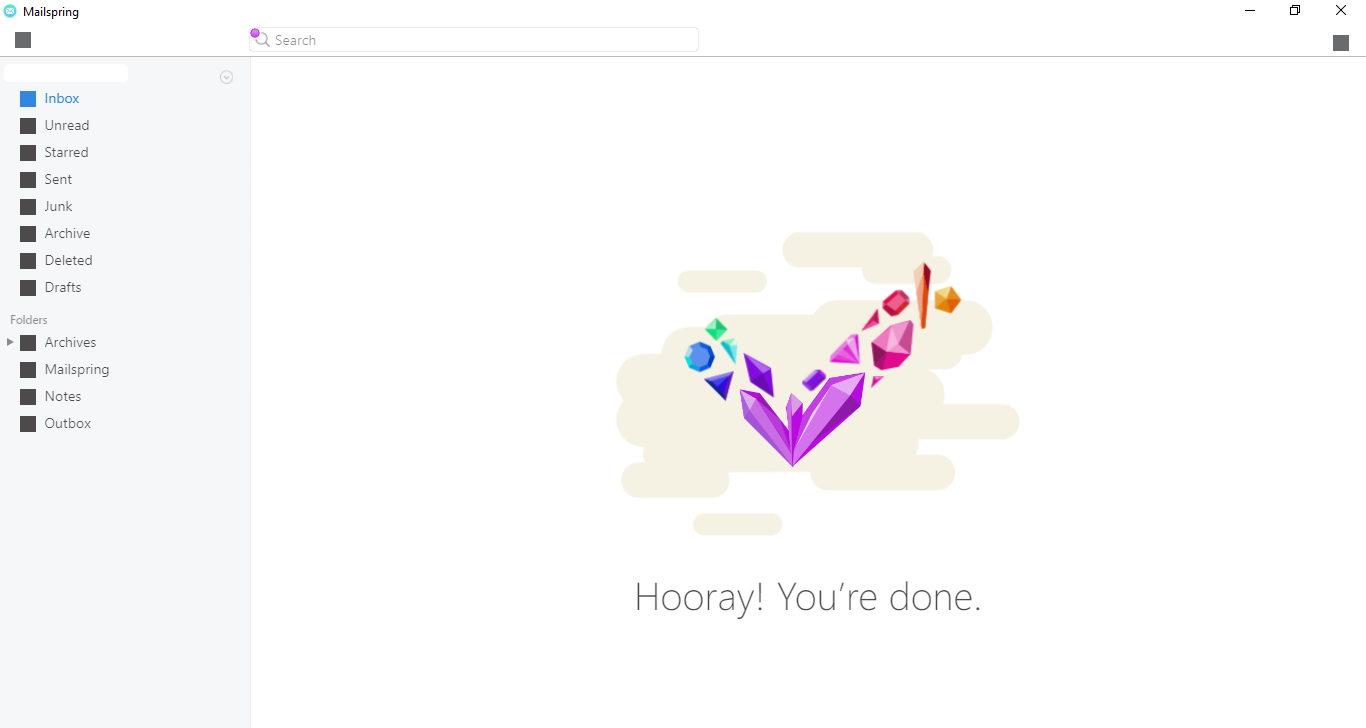
Those solid squares are the icon shapes failing to render: the toolbar and sidebar icons are drawn as image masks over a colored box, and when the mask isn’t applied you get the box on its own. In every case I’ve seen this it’s been the GPU rendering path on Windows (usually an out-of-date or misbehaving graphics driver), not something in the Mailspring install.
Two things to try:
- Update the graphics driver from the GPU vendor (Intel/NVIDIA/AMD), then relaunch Mailspring.
- Run Mailspring without hardware acceleration. On 1.24.0 and newer (Windows), quit the app, open
%APPDATA%\Mailspringin Explorer, create an empty file named exactlydisable-hardware-acceleration, and launch again. Mailspring will start with Chromium’s GPU rendering off and clear its shader cache. Delete the file later to turn acceleration back on.
If the squares persist even with acceleration disabled, let me know your Windows and GPU details and I’ll dig further.