Description
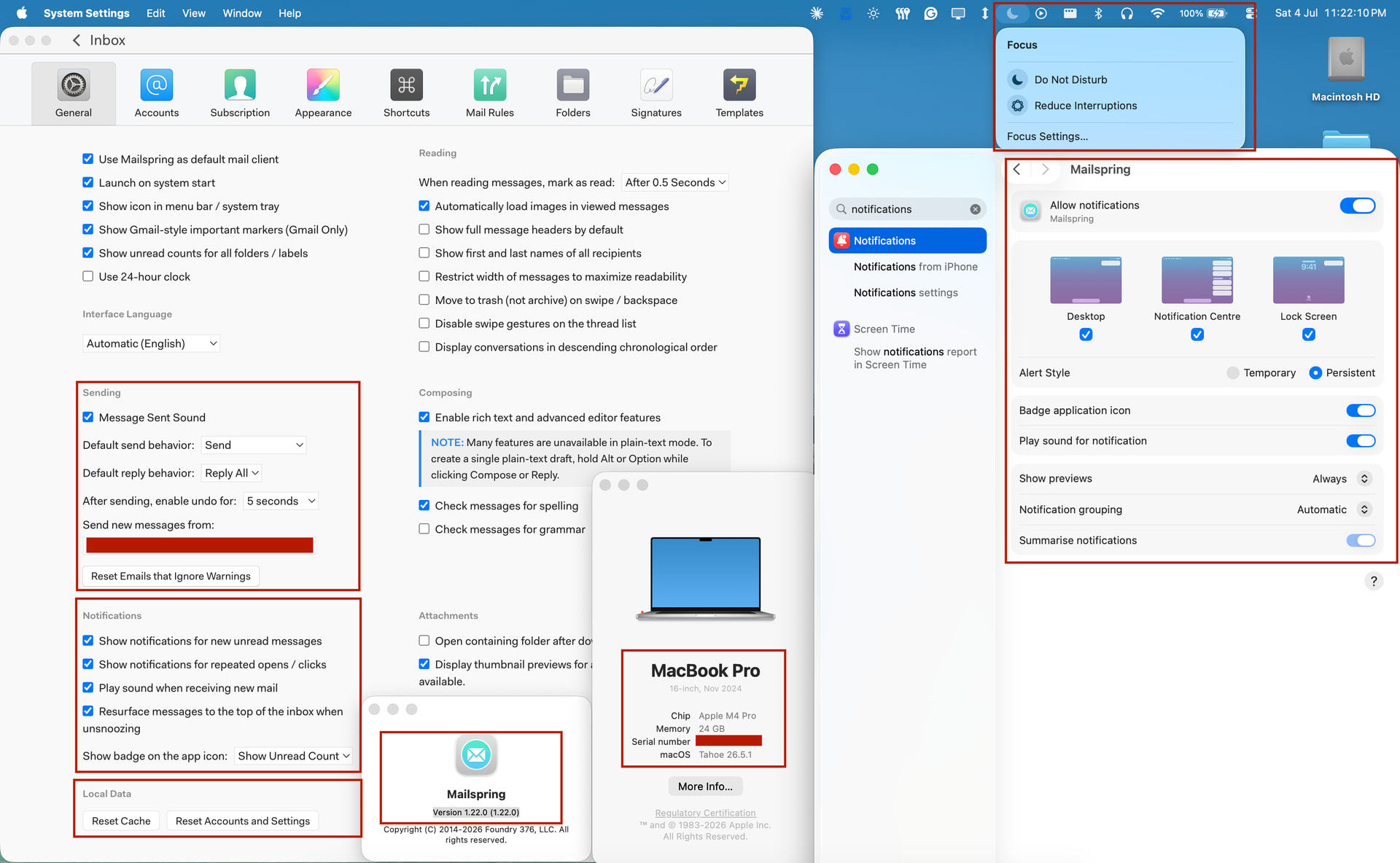
Whenever I receive new emails in any of my 4 personal email accounts added in the Mailspring Client, it doesn’t show a notification alert on Mac OS
To Reproduce…
Steps to reproduce the behaviour:
-
Link an email account in Mailspring Client on Mac
-
On Receiving a new email, no notification alert/pop-up is shown even if notifications are enabled.
Expected Behavior
Mailspring client must show the notification alert for all the new emails received.
Screenshots
Setup
- OS and Version: macOS Tahoe 26.5.1 (M4 Pro Chip)
- Installation Method: Installed app by Downloading Zip file - Mac OS X (Apple Silicon) from Mailspring - The best free email app
- Mailspring Version: 1.22.0
Additional Context
I am using mailspring since so many years, I used to get the notifications immediately as soon as I receive any new emails linked with mailspring desktop app for mac, but since approx last 4 months (April 2026) I have noticed Mailspring don’t shows up a notification alert for new emails. Also on sending the new emails it used to play a sound(enabled in settings), now that also seems to have affected as whenever i send new emails it doesn’t play.
Few More Details which may be useful.
- I am on Mailspring Pro Subscription Plan (wasitshafi700@gmail.com).
- I have enabled mailspring to auto open at login.
- I have 4 Emails account added in Mailspring (for all of them, it don’t shows up any notification alert)
- I don’t have any DND or any 3rd party extension enabled, as I receive notification alert for other apps, like slack, WhatsApp etc without any issue
- I have also verified this issues on my friends Mac Laptop, in his Mac Laptop Mailspring Client don’t shows notification alert.
- I have tried Reset Cache, Reset Account and Settings in General Settings, as well as uninstalled and re-installed the mailspring client, still same issue.
- In last view months I have installed new versions of Mailspring Client as well as OS.
Thanks