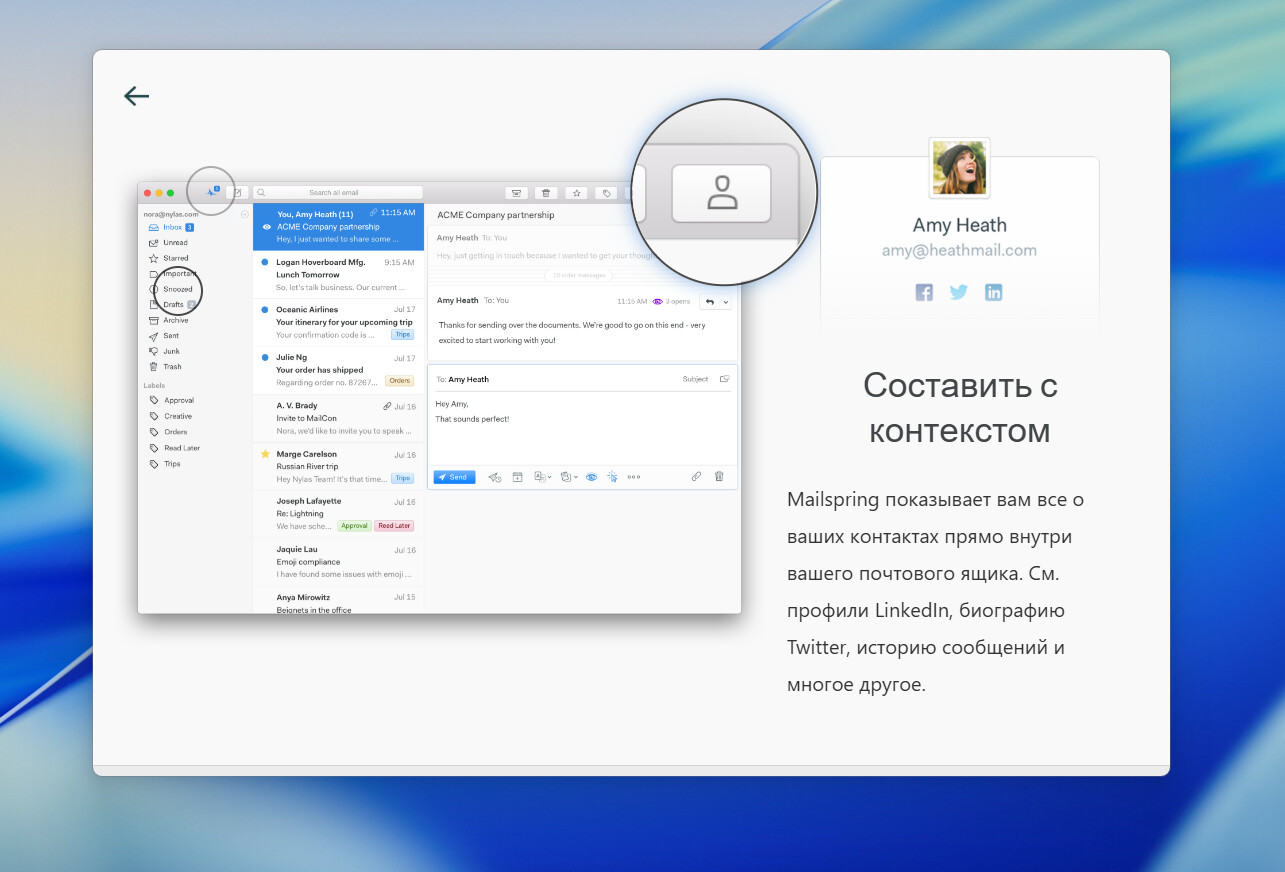
Am I supposed to see ‘Continue’ button down below? Is that because Russian text takes more space vertically?
Mailspring 1.22.0, Windows 11, 1920x1080 screen with 125% scaling.
Confirmed this is a real layout bug, and not really about Russian specifically. The setup window is a fixed, non-resizable 900×600, and this particular page’s content area is actually taller than that (620px in a 600px window) — so when translated text runs longer than the English original, which Russian often does, the Continue button gets pushed below the visible window with no way to scroll down to it. We’ve hit and patched this exact class of bug on one other onboarding page before, just not this one. As a workaround, try temporarily setting Windows display scaling to 100% (Settings > System > Display > Scale) before running setup — smaller rendered text should pull the button back into view — then switch back after. I don’t have a timeline for a proper fix, but I’ve flagged it to get these pages real scroll support instead of hard clipping.