Description
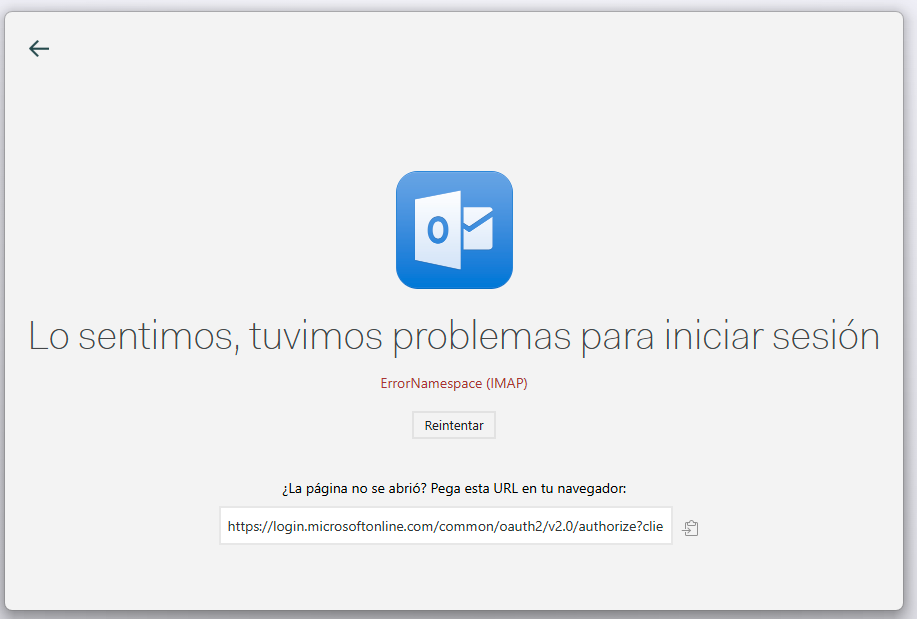
When attempting to add an Outlook account via IMAP/SMTP, the login process fails. Instead of completing the OAuth flow, Mailspring shows an error screen:
Lo sentimos, tuvimos problemas para iniciar sesión
ErrorNamespace (IMAP)
A retry button is shown, but the error persists.
This only happens with my Outlook/Office 365 account — other accounts work fine.
To Reproduce
Steps to reproduce the behavior:
-
Open Mailspring and go to Preferences → Accounts → Add Account.
-
Select Outlook / Office 365.
-
Enter credentials and attempt to log in.
-
After the Microsoft login page, Mailspring redirects to an error page with
ErrorNamespace (IMAP).
Expected Behavior
The Outlook account should authenticate successfully via OAuth and sync emails through IMAP/SMTP.
Screenshots
Setup
-
OS and Version: [e.g. Windows 11]
-
Installation Method: [ Windows installer]
-
Mailspring Version: [e.g. 1.12.0]
Additional Context
-
The issue seems related to the OAuth2 redirect when using Microsoft’s login page ( Sign in to your account ).
-
The problem started recently, possibly due to changes on Microsoft’s side.
-
Retrying or pasting the URL manually does not solve the issue.