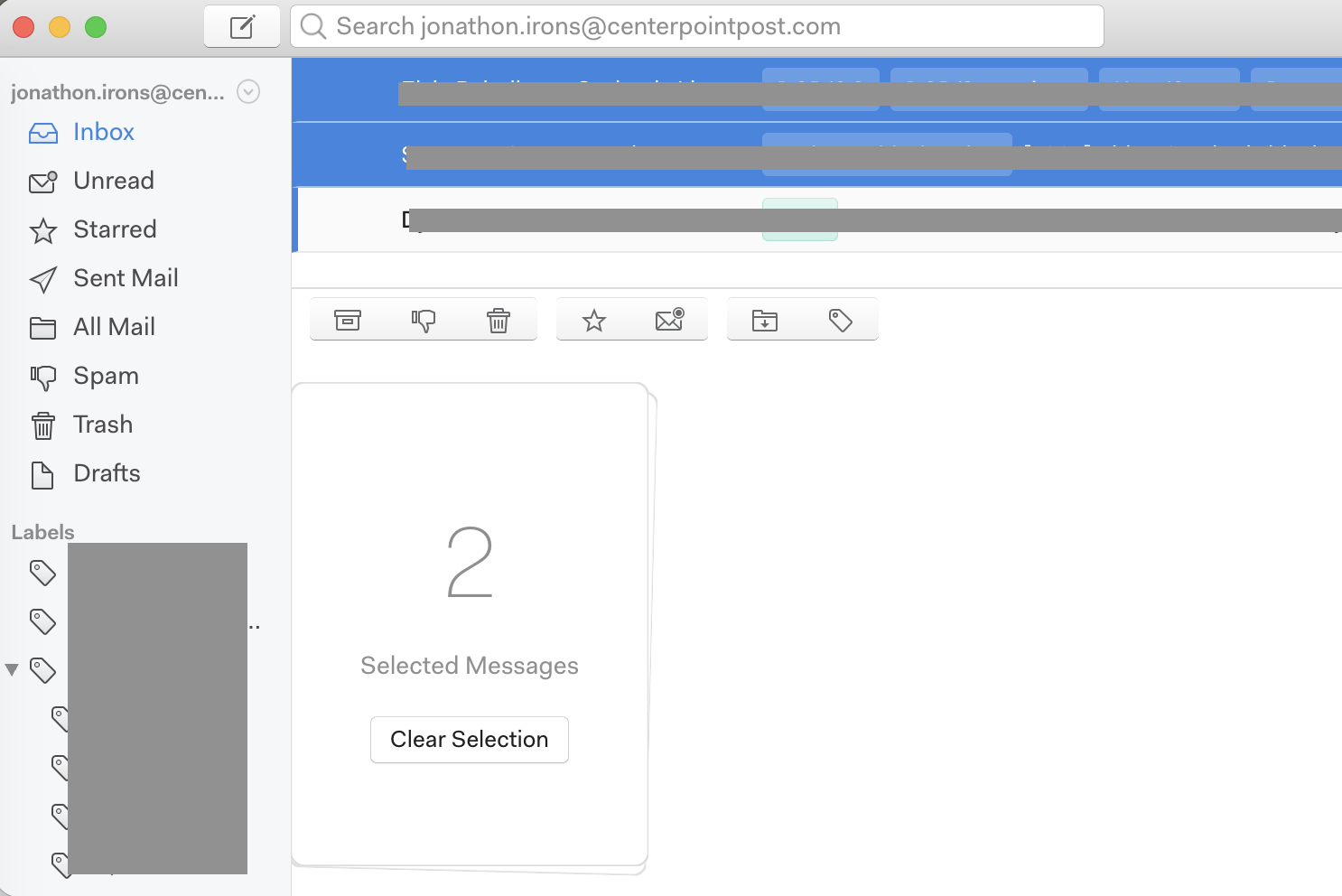
In the newest 1.17.0 release for macOS, using the shift or cmd keys and clicking to select multiple email threads is not working correctly. Sometimes only the last clicked email gets highlighted, sometimes multiple are selected but only one is highlighted, sometimes multiple are selected and highlighted but not the ones you actually clicked on, and sometimes the entire selection is deselected. The behavior seems to change for each folder (Inbox, All Mail, Sent, etc), but it might just be changing randomly.
To Reproduce…
Steps to reproduce the behavior:
In the main interface window, hold shift or cmd and click on multiple emails.
See that one or zero emails are highlighted, or multiple incorrect emails are highlighted.
Expected Behavior
The previous behavior of highlighting each selected email for performing bulk actions.
additional info: (since i hadn’t thought to try command selection prior to this post) shift selection seems only to work once a message has been command-selected.
I am seeing the same issues after the update. In addition, the up and down arrow keys are not working for me; they only move to the first mail in the list.
Same here on Windows 11:
In the Inbox trying to select holding Shift either does nothing or selects all mails from the selected one up to the top most one. Holding Ctrl sometimes works as expected, but sometimes it always selects the top most mail additionally. In Unread both won’t work at all.