So my research showed, that this pop-up has been a nuisance to some other users in the past. Is there any solution to it? I can actually fetch and write emails without problem with my accounts. Can I disable this pop-up somehow?
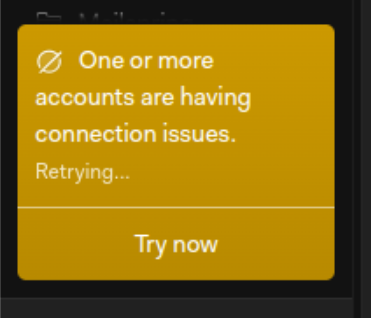
So my research showed, that this pop-up has been a nuisance to some other users in the past. Is there any solution to it? I can actually fetch and write emails without problem with my accounts. Can I disable this pop-up somehow?
April 2025, and I am still regularly getting this pop up 
I see lots of reports in past years, of the same problem, but No Solution suggested ?
How incredibly annoying !! And if there is an account with issues it would be nice to at least include the account in the pop-up so it could be investigated … I will have to leave this app if this persists… and I was considering upgrading. But obviously wouldn’t pay to be annoyed …
It happens constantly, but apart of the annoyance seems to be harmless.
This notification appears when Mailspring’s sync engine reports a connection error for any account — even a brief or transient one. The notification doesn’t currently tell you which account is affected, which I know is frustrating.
To identify the problem account, go to Preferences > Accounts and look for any account showing a red/error state. Common causes:
If all accounts show green in preferences but you still get the notification, try restarting Mailspring — the sync processes sometimes get into a bad state that a restart clears.