Hey y’all. I can’t get the spellcheck to work. I have set it to a language, but even so it won’t spell check my emails. Any ideas about what I am doing wrong? The below is just a screenshot of my email with misspelt words and no red underlines.
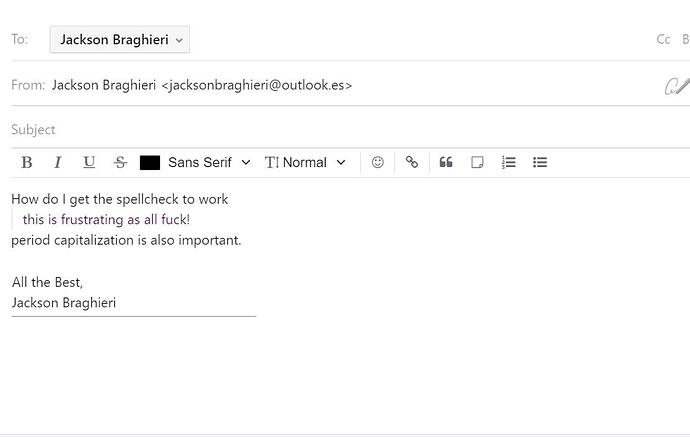
Hey y’all. I can’t get the spellcheck to work. I have set it to a language, but even so it won’t spell check my emails. Any ideas about what I am doing wrong? The below is just a screenshot of my email with misspelt words and no red underlines.
See here Mailspring & Spellcheck not...
On Windows 10, Mailspring version 1.10.8 spell check only works when composing or replying in plain text
On linux (Ubuntu MATE) Mailspring version 1.10.8 spell check works with rich text.
Why?
Solution : when You compose the first email of the day, you click in the object (subject) area, which activates the correction.
As long as Mailspring is not closed, spell check will work.
Spell check in Mailspring uses the Electron session’s built-in spell checker (via session.setSpellCheckerLanguages). A couple of things to check:
en-GB but only en is available), it silently does nothing.What OS and Mailspring version are you on? That’ll help narrow it down.