Description
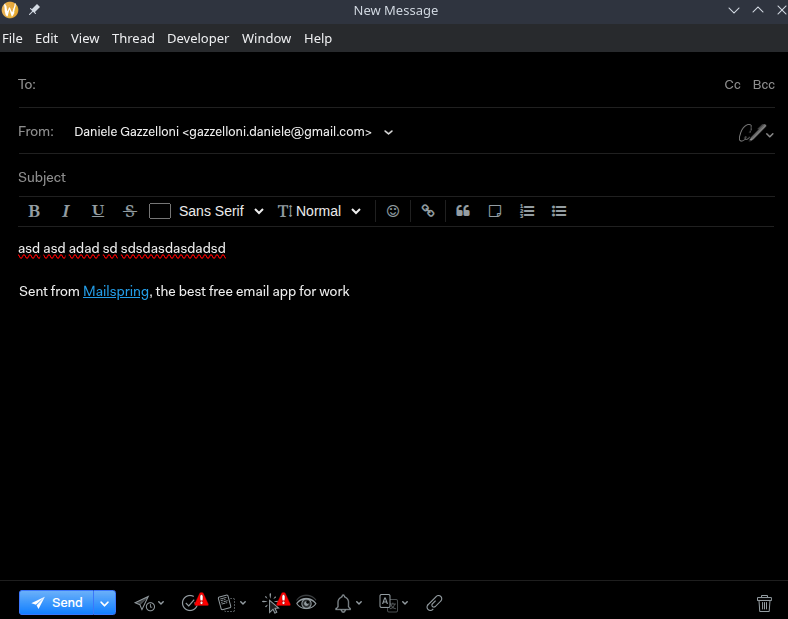
Hitting the “Home” or “End” keyboard keys does not work as expected (going to beginning / end of the line).
The only way to go to beginning or end of the line is to hit the Home or End key twice.
This happens only when the reach text editor is enabled. It does happen independently of grammar and spell checks, meaning it happens when they are either enabled or disabled.
There’s a chance even other keyboard combinations are blocked and does not work.
To Reproduce…
Steps to reproduce the behavior:
- Make first sure “Rich text editor” feature is enabled in Settings → General
- Create a new mail composer
- Start typing anything
- Hit “Home” key
- Cursor does not go to the start of the line
On the contrary:
- Make first sure “Rich text editor” feature is enabled in Settings → General
- Create a new mail composer
- Start typing anything
- Hit “Home” key twice
- Cursor goes to the start of the line
Expected Behavior
- Hitting “Home” key should take the cursor to the beginning of the line, even if hit only once
- Hitting “End” key should take the cursor to the end of the line, even if hit only once
Screenshots
Setup
- OS and Version: Kubuntu 25.10 (Questing Quokka) x86_64 on KDE Plasma 6.5.6
- Installation Method:
- Mailspring Version: 1.19.0-29769fad
Additional Context
There’s a similar topic open, marked as “Help request” instead of “bug report”: Hitting Home Key or End Key takes to hits instead of one?
