Hey Toma – Mailspring 1.19.1 includes an upgrade to Electron 41, which brings significant updates to the Chromium and Node.js runtimes. This may help with the zombie process issue you’re seeing on close, as there were known improvements to process lifecycle handling. There are also Wayland-specific fixes (GTK drop shadows, extended resize borders) that improve stability on Linux. Please update to 1.19.1 and let me know if the lingering mailsync processes are still an issue — if so I’ll investigate further.
I had the same problem on my system, and fixed it coincidentally while packaging the flatpak.
On Linux, the “mailsync” shell script calls the “mailsync.bin” binary. When closing, the shell process is terminated, leaving the mailsync process hanging, which in turn causes it to behave buggy.
In the latest flatpak, i do not use this shell script, instead “mailsync” is directly the binary. Since then closing works as expected. @bengotow using exec to call “mailsync.bin” will probably fix it for other distribution methods too, as the shell process will then get replaced by the mailsync process.
Will try once 1.19.1 reaches Flathub.
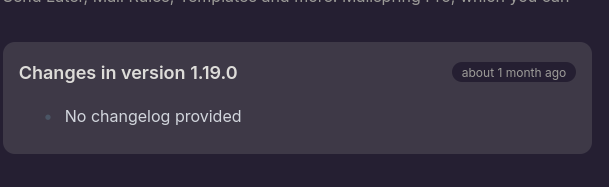
It already did and should work because of the reasons above. It just shows up as 1.19.0 because of The 1.19.1 release is incomplete.
Oh that’s a super interesting find - let me see if I can repro and fix that, I wonder if the behavior of the mailsync.bin wrapper is slightly different on macOS and Linux. We may be able to inject the env vars and libs directly from the mailsync process too.
Flatpak wants to use the system libsasl. It uses its own version of mailsync/build.sh, in which i simply left out all SASL_PATH related stuff, like copying the libraries to app/. Hence why i also skipped creation of the wrapper. Please keep in mind that if it gets hardcoded, package formats that ship their own runtime will either require extra patching, or need to duplicate a lot of libraries, increasing package size.
What you see is the time since the last release according to the appdata file, which is fixed to 1.19.0 from 2026-03-09. When you hover it however, you will see that the latest build is not even a day old. More importantly, after a flatpak update and Mailspring restart, you should see that it is version 1.19.1 in the “Help” menu.
This was fixed in the Flatpak packaging — the shell wrapper script now correctly forwards signals to child processes so mailsync.bin doesn’t stay running after the app closes. Please run flatpak update mailspring and the orphaned process issue should be resolved.