There is probably a way to do it, but unfortunately, I haven’t looked into it, as the image retrieval feature was developed before my fork. If I have some time, I’ll look into it. Feel free to open an issue on GitHub.
In the src/main.js file, you can manage the sizes for “SmallAvatar” and “LargeAvatar.”
However, you need to rebuild the plugin after making these changes. Be sure to follow the instructions in the “Build / contribute” section of the README on Github.
The plugin folder is located in ~/.config/Mailspring/packages/mailspring-avatars/ for Linux.
1 Like
Looks like we have an API depreciation:
Clearbit’s free Logo API (logo.clearbit.com) will be discontinued on December 1, 2025, and will stop working on that date.
any way to fix this?
You can try to install the proposed fix from this Pull Request:
1 Like
It is now fixed since v2.0.0 
New release : 2.0.0
What’s up ?
- Add twenty-icons as avatar source (#18) (thanks @tienhm0202 !)
- Complete refactoring of code (#20) (thanks @DamianB-BitFlipper !)
- Add caching system (#20) (thanks @DamianB-BitFlipper !)
- Update avatars sources (#20) (thanks @DamianB-BitFlipper !)
- Add security improvements:
- Domain & URL validation
- HTTPS-only enforcement for external resources
- Data URL validation before caching
- Image dimension and format validation
- URL encoding for domain names in favicon URLs
- Add CSS injection protection for color and size props
- Improve favicon caching system:
- Add TTL and memory management to LRU cache
- Fix cache race conditions
- Replace deprecated componentWillReceiveProps with componentDidUpdate
- Migrate from Yarn to pnpm for development
- Force minimum node version for development
- Upgrade node modules
Full changelog : 1.4.1…2.0.0
Direct download : mailspring-avatars-2.0.0.zip
1 Like
New release : 2.0.1
What’s up ?
- Improve cleanup and lifecycle management
Full changelog : 2.0.0…2.0.1
Direct download : mailspring-avatars-2.0.1.zip
2 Likes
Hi @Striffly ,
I’m a huge fan of the plugin. That said, I found the message list a bit crowded because the avatars felt a little large and the whitespace was a bit tight. I’ve made some CSS tweaks to balance things out—thought the community might find these useful too!
Here are the changes I made:
1. src/main.js — Reduced avatar sizes:
diff
- const SmallAvatar = AvatarFactory(32,'SmallAvatar');
- const LargeAvatar = AvatarFactory(42,'LargeAvatar');
+ const SmallAvatar = AvatarFactory(26,'SmallAvatar');
+ const LargeAvatar = AvatarFactory(34,'LargeAvatar');
2. lib/main.js — Same change in the compiled version:
diff
- const SmallAvatar = (0, avatar_factory_1.default)(32, 'SmallAvatar');
- const LargeAvatar = (0, avatar_factory_1.default)(42, 'LargeAvatar');
+ const SmallAvatar = (0, avatar_factory_1.default)(26, 'SmallAvatar');
+ const LargeAvatar = (0, avatar_factory_1.default)(34, 'LargeAvatar');
3. styles/index.less — Added margin at the top of the file:
diff
+ /** Avatar margin for less crowded list **/
+ .thread-avatar {
+   margin: 4px;
+ }
+
  .message-subject-wrap, .thread-list-wide .list-column-Message, .icons-column {
    .thread-avatar{
      display: none !important;
    }
  }
The size went from 32/42px down to 26/34px (about 19% smaller), and each avatar now has 4px breathing room on all sides.
1 Like
Could you take a screenshot of your rendering? I’ll see whether I implement it on source code or not 
1 Like
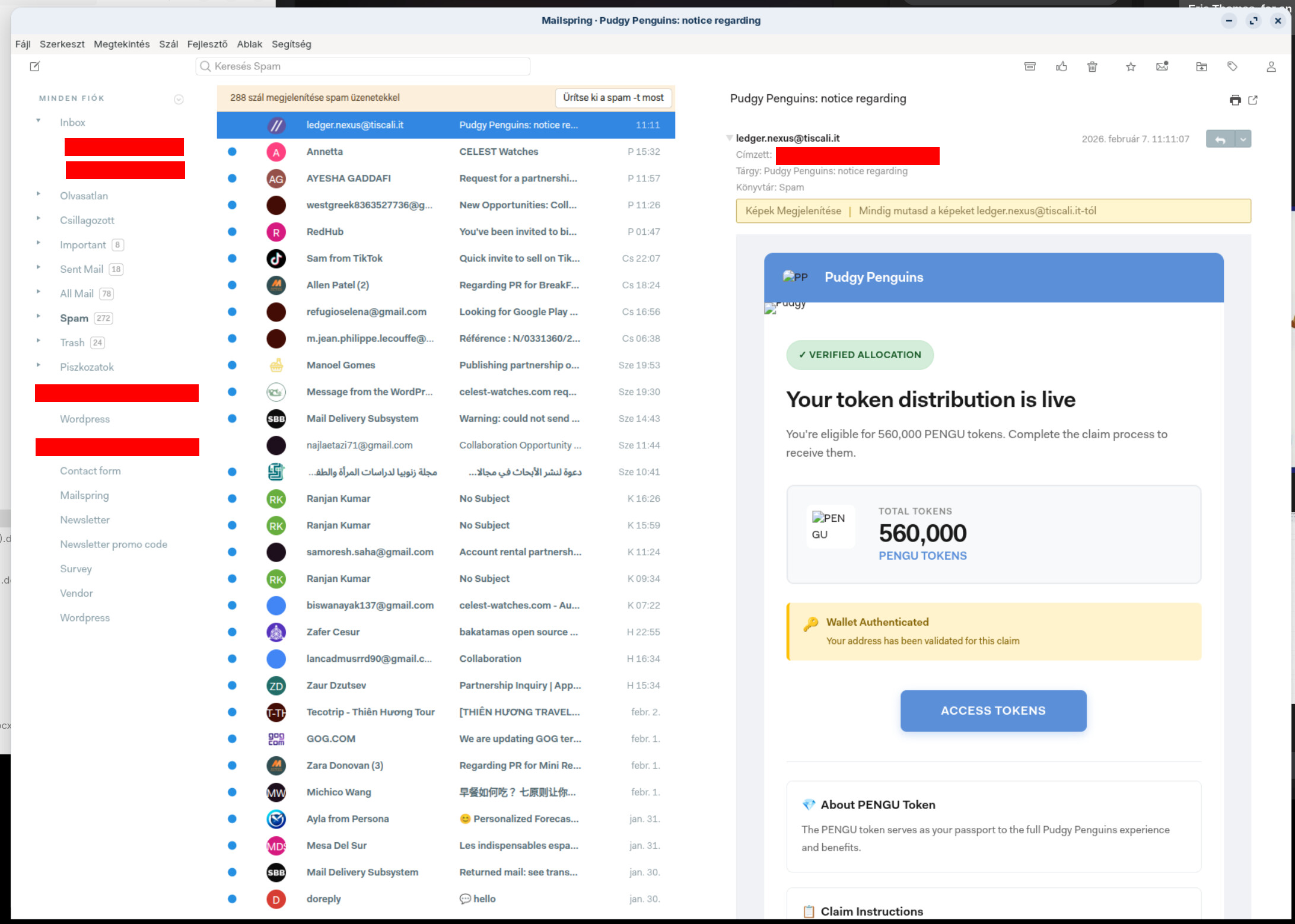
Thanks for developing this plugin. I was able to install it from the Developer—>Install a Plugin and it worked flawless without needing Mailspring to be restarted.
Very nice! I’m always trying to get email icons and avatars to work, and this one does it all for me. Thanks again!